Structural design CAD for Windows
You draw. It checks as you go.
StruxDraft is CAD for structural engineers. Draw your framing over the architect's PDF, and supported members are design-checked as you place them. When you're ready, print the calculation package.
Free to use, no account, no time limit · Windows 10/11 · v0.3.19 · $79/month when you need more
StruxDraft v1.0 ships September 21, 2026
NDS · AISC 360 · ACI 318 · TMS 402 · ASCE 7 — editions selectable per project
What StruxDraft does
Today you draft in CAD, size members in spreadsheets and single-member calc apps, and carry reactions between them by hand. StruxDraft replaces that loop with one program and three steps.
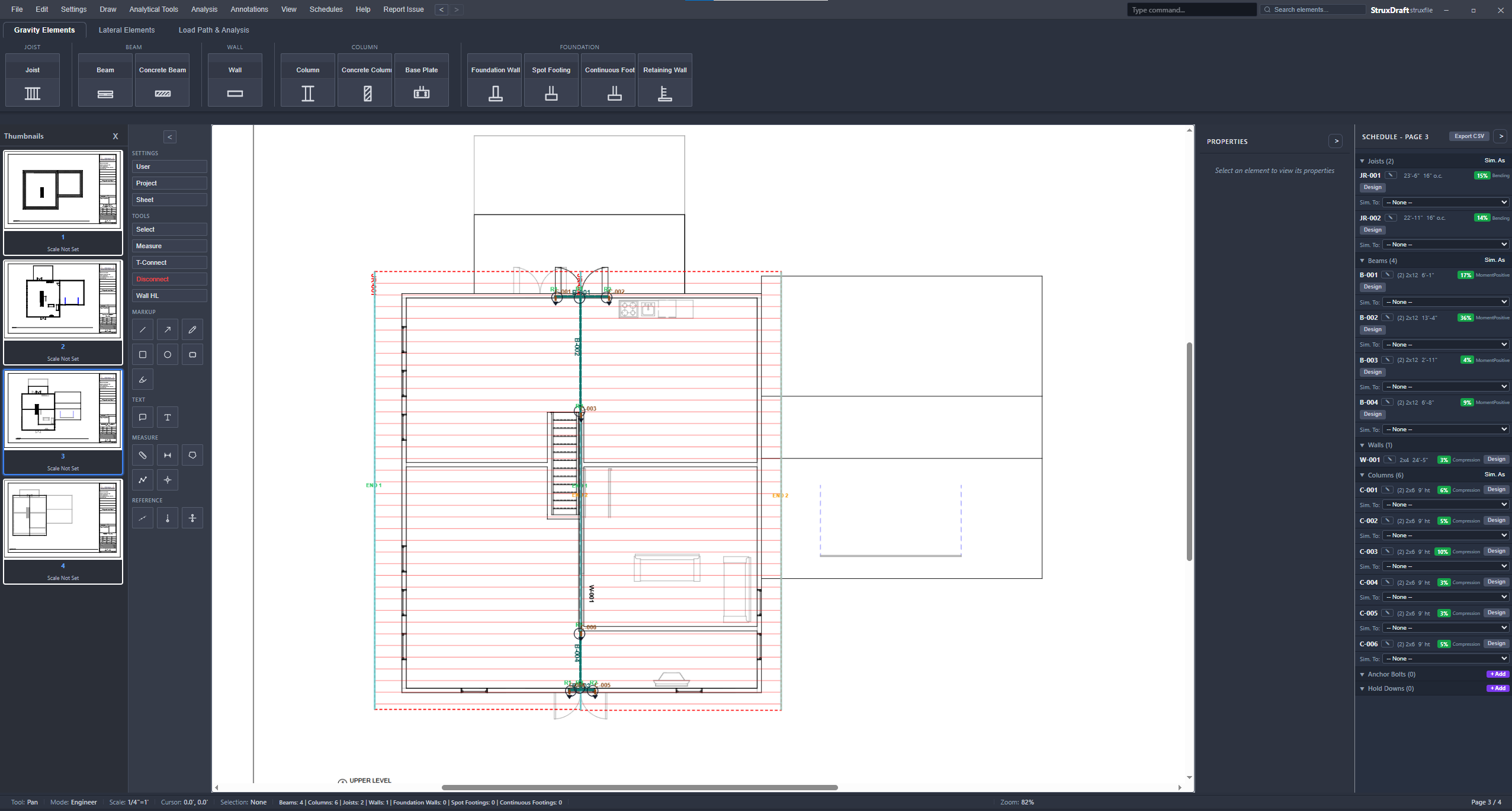
Draw the structure over the architect's plans
Import the PDF plan set and scale it once off a known dimension. Then draw the real structure over it — joist regions, beams, headers, columns, bearing walls, footings — at true size. Where framing touches, connections register automatically: end a joist region on a beam and the bearing is already there.
Every member is checked the moment you place it
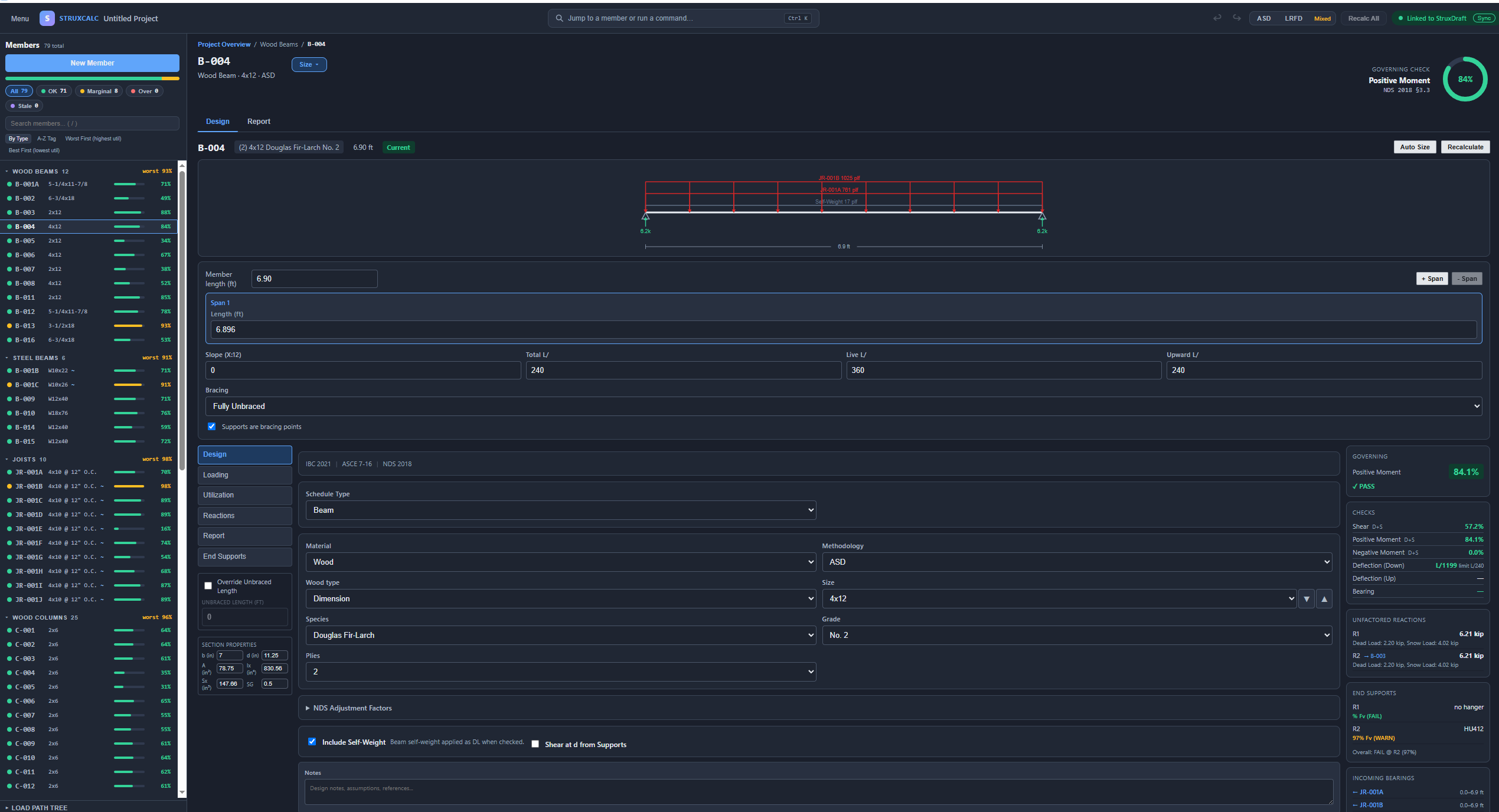
Each member opens a designer showing its loads and every check — shear, moment, deflection, bearing — with the governing utilization and the code reference beside each result. Loads flow automatically: joists load their beams, beams drop reactions onto columns, columns carry down to footings. Change a span or a section and everything downstream re-checks itself.
See all 13 member designers →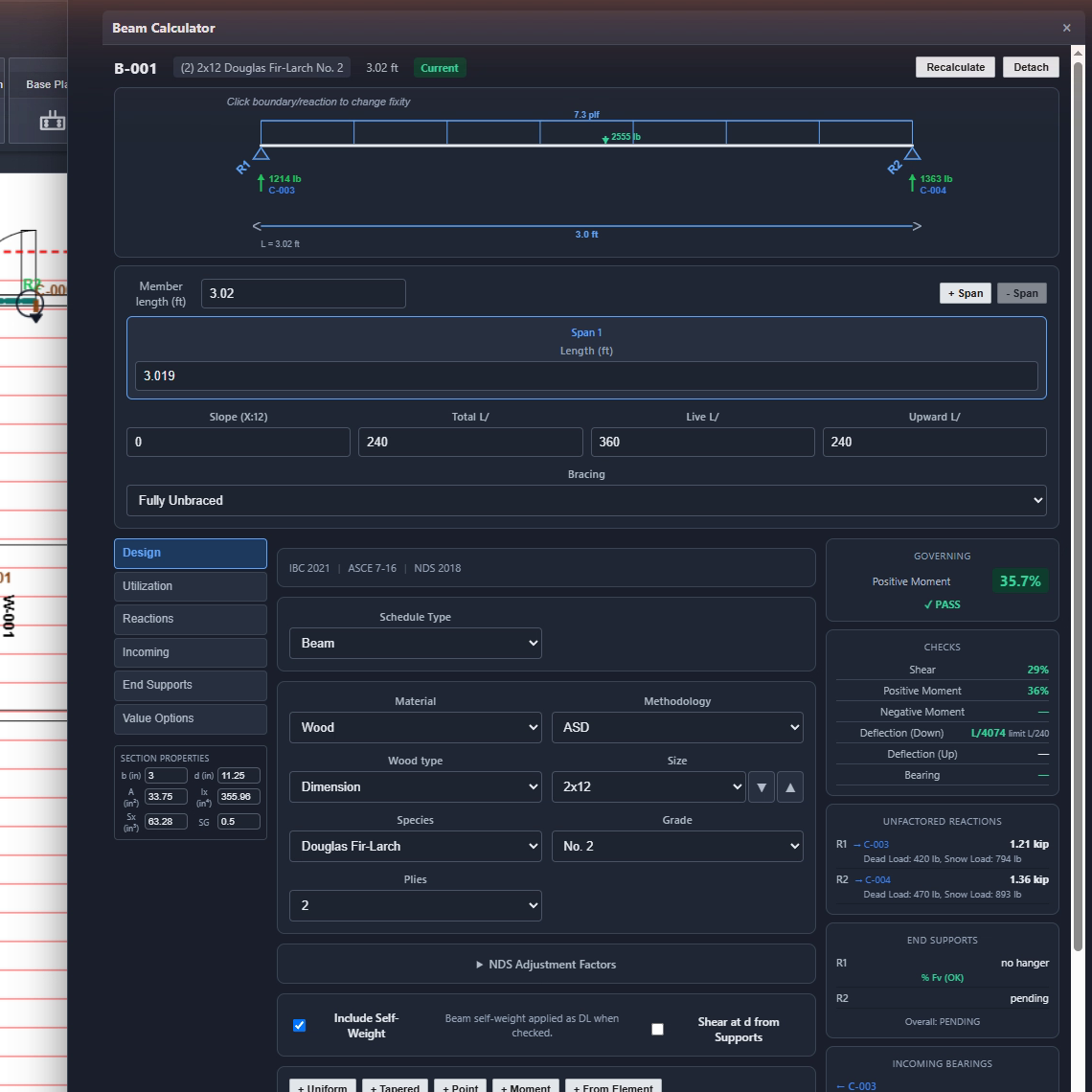
Print the calculation package
One dialog prints the calculation package: cover sheet, design criteria, load-path narrative, then a calc sheet for every member with its equations written out. Plans export alongside as marked-up PDF or layered DXF. The 80-member demonstration residence prints a 213-page package — read it yourself.
Download the sample calc report (PDF, 180 pages) →Review the work behind the result
The design dialog, the 3D model, and the printed report all read from the same engine — review the inputs, equations, governing checks, and code references for supported calculations.
Every equation printed
Checks print their equation, inputs, and code reference — you can follow any result by hand, line by line.
One number everywhere
A member's utilization reads the same in its designer, on the 3D heatmap, and in the report — nothing is summarized away.
Code sections cited
Every check names the NDS, AISC, ACI, or TMS section it enforces — in the design dialog and on the printed page.
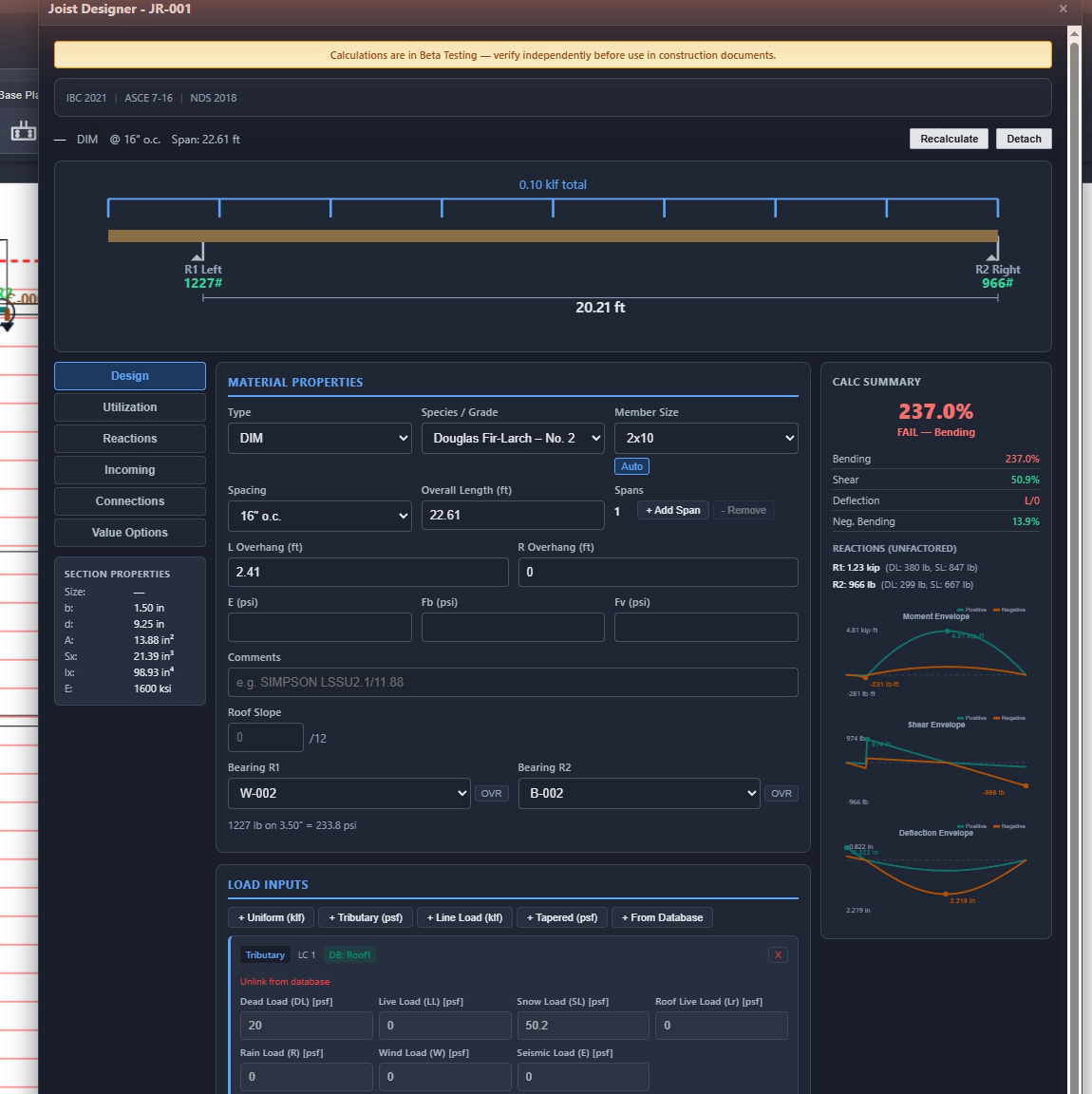
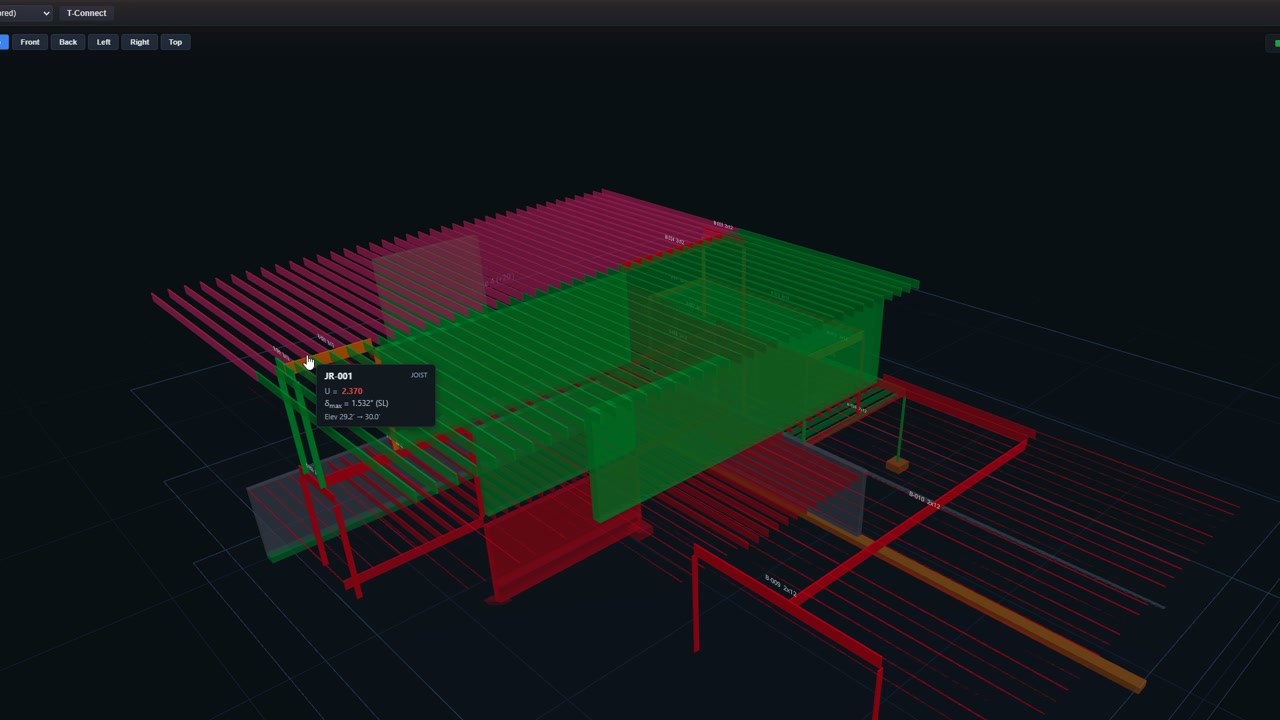
One deliberately failing joist, shown twice: 237% in its designer, U = 2.370 on the heatmap. Same engine, same number.
Three tools. One engine.
Everything runs the same calculation engine and the same project file, so the numbers agree everywhere.
StruxDraft
The main program
Draft the structure over the architect's plans and design every member in one project file — everything on this page happens here.
Product details →
StruxCheck
The calculation studio
For one-off questions: open a single beam or column, size it on the same engine as StruxDraft, and print the calc sheet.
Open StruxCheck →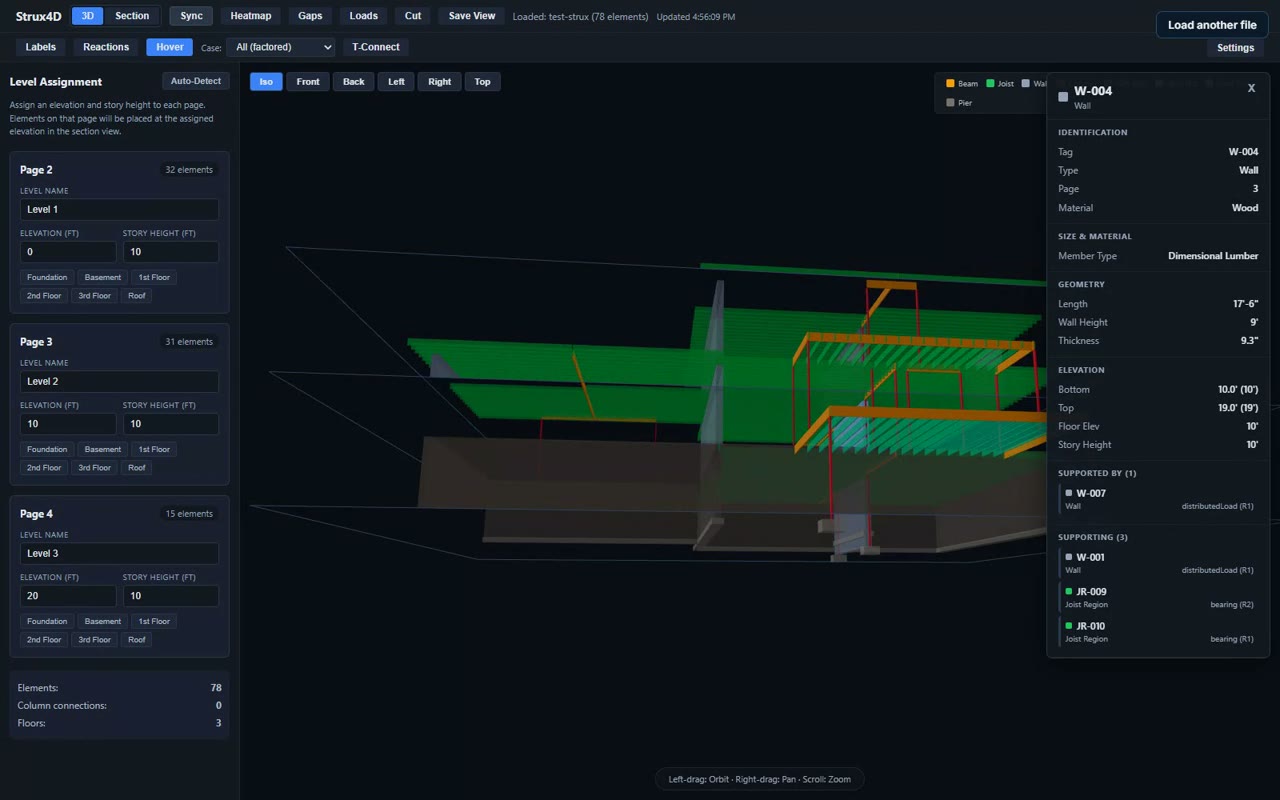
Strux4D
The 3D view — free
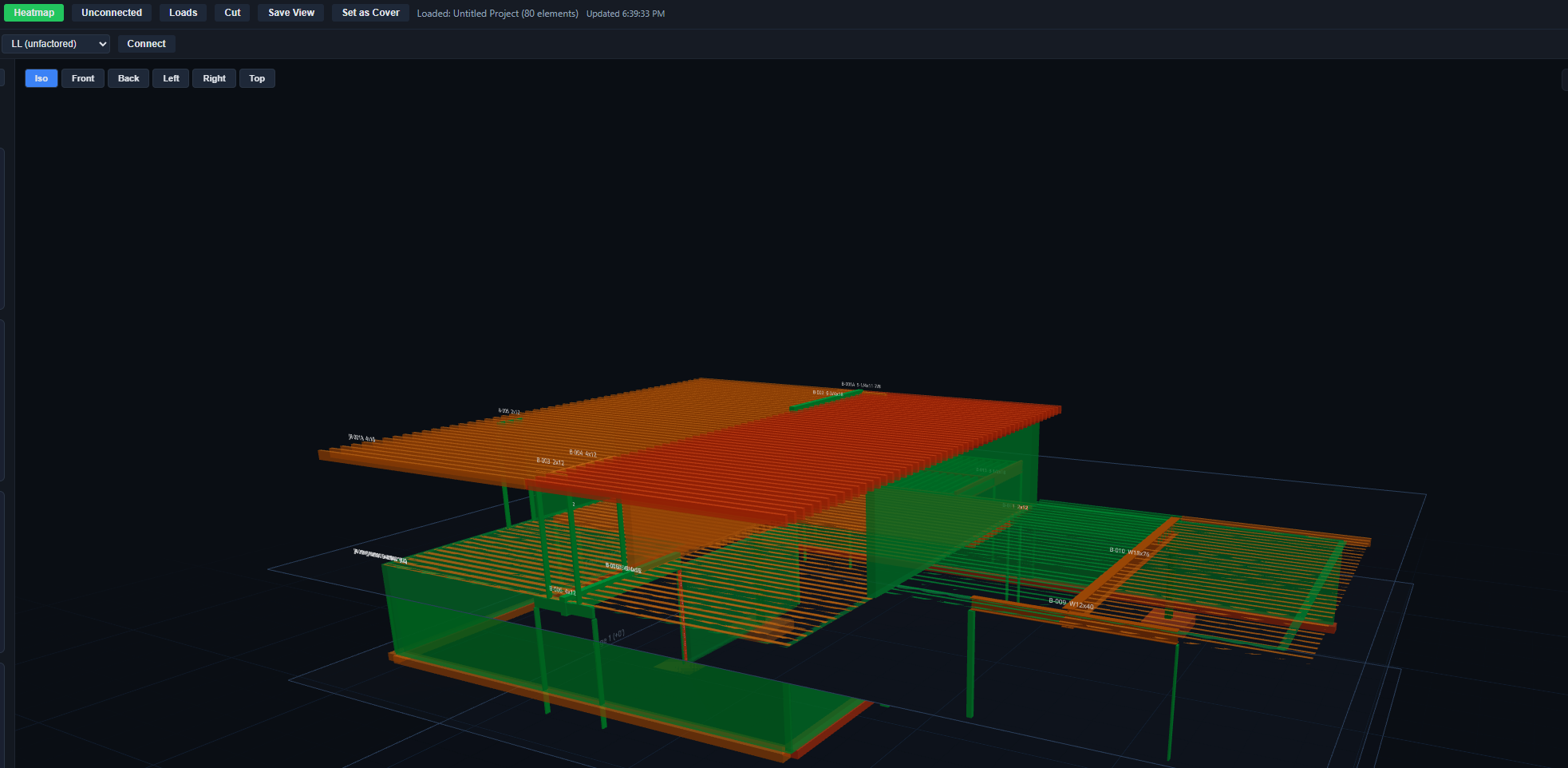
See the model, the loads, and the load paths in 3D. The free web viewer runs in your browser with a real sample project loaded.
Open it in your browser →Watch a real project go end to end
Import, draw, check, and print — a full residential project in 8 minutes, unedited.
Built by the engineers who use it
Strux Labs is two practicing structural engineers who got tired of gluing CAD to spreadsheets. StruxDraft runs their real projects every day.
John Reeves, PE
Licensed Professional Engineer — California & Utah
Leads the analysis engine. Wood-frame residential and light-commercial background; makes sure every calculation is code-traceable.
Keaton Peterson, PE
Licensed Professional Engineer — Utah
Drives the drafting workflow and day-to-day usability. Focused on production engineering and plan-review efficiency.
"We got tired of typing loads we'd just calculated into another program, then copying results back into the plans. There had to be a better way." — John & Keaton, on why StruxDraft exists · more about Strux Labs
Put a real project through it
Download it and draw over your own plan set. It is free to use, needs no account or card, and never expires — the engine and the code checks are the ones you would be paying for. Upgrade the day a project needs more than the free tier holds, and not before.
$79 a month, $790 a year, or $2,000 once for one of 20 Founders licences · one licence runs on two machines · Windows 10/11